It seems that the sycamore has been granted a reprieve. For now.
The great and awful tree had been destined to attain horizontality as soon as I could find someone who would do it. That was necessary to give my cool new satellite dish a clear view of the sky.
The tree is still under a death sentence, but the latest and most urgent reason for sending the thing to the wood-chip pile seems not to have existed at all.
As I fretted here last week, the tree was apparently blocking the only place on my property where I could mount the Starlink satellite internet dish that had just arrived. And to read the company’s description of things, there was no guarantee that it would work even then, so unblemished the path to outer space must be.
After experimentation I’ve come to the conclusion that Starlink is actually underselling how good its system is. As to its price . . . that seems oddly fluid, and not in a good way.
Last Thursday, it being a sunny and clement day (and the snow and ice finally having melted), I undertook to unpack the Starlink dish and see just how bad the situation here was. The dish was a little bigger and heavier than I expected. I think that my expectation had been influenced by experience with the flimsy and largely useless flat plastic television antenna that I messed with a few years ago. The Starlink dish is sturdy and weighs a few pounds.
I took the dish outside, plugged in the cable, and plopped it down on the ground. Trailing cable behind me, I walked to the porch, where I’d put the Starlink router and its power supply, because I have an outdoor electrical outlet there. I plugged it all together. It showed no effect of being plugged in. (There was a tiny yellow led on the front that came on, but it was far too dim to see in the bright sunlight. It didn’t beep or offer any other indication that it was on.)
But on it was.
Having already installed the Starlink application on both my tablet and my phone — both running GrapheneOS — I fired it up on the tablet, to see if it would tell me what was going on. My idea was to see if I could get any signal at all from the dish, resting in the brown winter grass. I poked around with no apparent success. The app, I had been told by the Starlink website, would be useful in allowing precise placement of the dish, but I could never get to that screen.
So I came indoors to the desktop computer in hope of getting more elaborate setup/troubleshooting advice. I went to the Starlink website, logged in — you create an account when you order the thing — and learned to my surprise that I was online. Huh? My Starlink was online?
(It further said that I owed Starlink $80, which it said, also to my surprise, was overdue: My first communication with the company had been just a week earlier. Additionally alarming: I just looked at the Starlink web page and each of its prices has in the last few days gone up by $19 per month, more than a third for the cheap tier and almost a quarter for mine. I wonder if my $80 price is grandfathered in or if they’ll now charge me more as well. Not a good sign.)
The lack of evidence that the thing was working was was strange. I returned to the tablet and looked at the available networks. Sure enough, “STARLINK” was listed. I selected it. The tablet and I were in the living room. The router was still on the porch. The dish was out in the yard someplace.
I opened a browser and went to one of the many sites that offer internet speed tests. Based on what I’d read in the Starlink literature, I thought I should be happy to be receiving any signal at all and expected to observe disappointing connection data.
You can imagine my delight, then, when the speed-test site told me that I was connected at 185 megabits per second download speed. This was astounding: I’d signed up for the 200mbps subscription. A 200mbps subscription from anywhere means no faster than 200mbps. If you come within 25 percent of that you can count yourself lucky. (My Frontier-Verizon subscription claimed 100mbps, but it has never gotten even to 25mbps.)
Starlink had led me to believe that to work effectively the dish needed to be aligned with great precision, and here I had plopped it down on the ground randomly, any which way, without consulting the application that was supposed to guide me in aligning it (but so far didn’t).
I spent the next few hours doing some tests. The first was to log on my home-made television. The signal was perfect, channels loaded crisply, and that little spinning circle, never much of a problem, was now gone entirely. I updated all the applications on my phone and tablet. What used to take an hour now took a few minutes.
It had seemed to me that for the Starlink to work at all, I would have to mount the dish far above the ground and spend a day aligning it with great precision. That is what I had been told. But no.
Giving it a little thought, it occurred to me that Starlink service couldn’t be as delicate as the company says. I mean, Russia had been sticking small Starlink dishes on their drones so as to more effectively murder the good and noble people of Ukraine, and that couldn’t possibly involve precise aiming of the dish. People stick a small version of the dish on their campers so people in the back seat — not the driver in the front seat, I hope — could be online as they wobble down the road. That might work on Interstate 70 in Kansas, which is flat and in many places ruler-straight, but elsewhere? Apparently so.
The Russians are not using Starlink anymore. Elon Musk turned off their access. Which is a slight concern — if Elon were angry at me, he could shut me right off. So let me hasten to welcome and praise our new communications overlord!
Fiddling with the Starlink app, I found that it will not work fully if you have a virtual private network — a VPN — running on the phone or tablet. I turned off my Proton VPN on the tablet, and the app came to life. It told me that my random placement of the dish was 7 degrees away from perfection. (If you’re less than 5 degrees off, it’s close enough that doesn’t bother to tell you at all, so I’d been lucky in my random placement.) Once I’d checked the application’s various features and had renamed my Starlink network and protected it with a password, I turned the VPN back on. Everything except the app worked just fine.
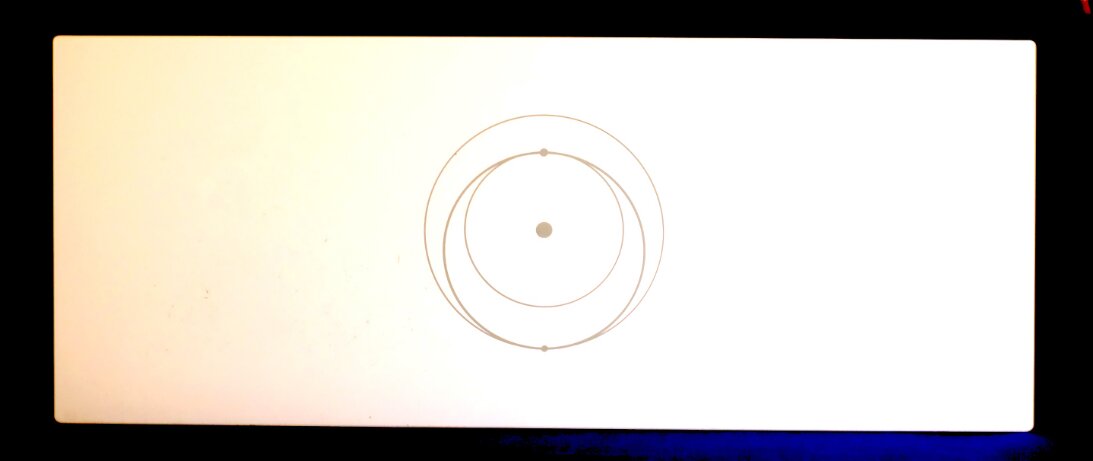
The foot-long Starlink router is kind of futuristic, Apple-ish looking, though Jony Ive would probably have done a couple things (but with Apple being its authoritarian self, maybe not) that I wish Starlink had. First, it should want to stand up on its own, but if there’s even a slight kink in the cable the thing will fall over. Second, it relies too heavily on wifi. It has only two peripheral LAN connections. It needs at least two more, and four more would not be excessive. There are a few LEDs on the front, but I don’t know what they’re for and best I can tell they’ve never come on (except for the dim yellow power one, briefly). Starlink isn’t long on useful documentation.
I used Starlink to place some phone calls over the tablet and the audio quality was better than it had been with Frontier-Verizon — and they’re the phone company! Latency, the delay between my saying something and it being heard, was not noticeable.
How could this all be? I have trees, house, and other things in the way. Based on Starlink’s warnings I should be lucky to have a signal at all!
It’s a mystery. I’m drawn to remember the place I lived in Connecticut. It was beneath an aviation intersection. No matter when you went outdoors, you could hear airliners flying far above. Am I beneath its orbital equivalent, with a swarm of satellites over my place all the time? Don’t know. Hope so.
But I do know that it works.
Over the weekend there was a vast snowstorm along the east coast. Here, we nibbled ever so slightly at it, ending up with at most an inch of snow. Not enough to cause much trouble but just the right amount to test another Starlink feature: The dish is heated. Not hot, but warm enough to melt snow. As you can sort of see in the picture (the dish is white and so is snow), while there was snow all around the dish, there was none on the dish itself.
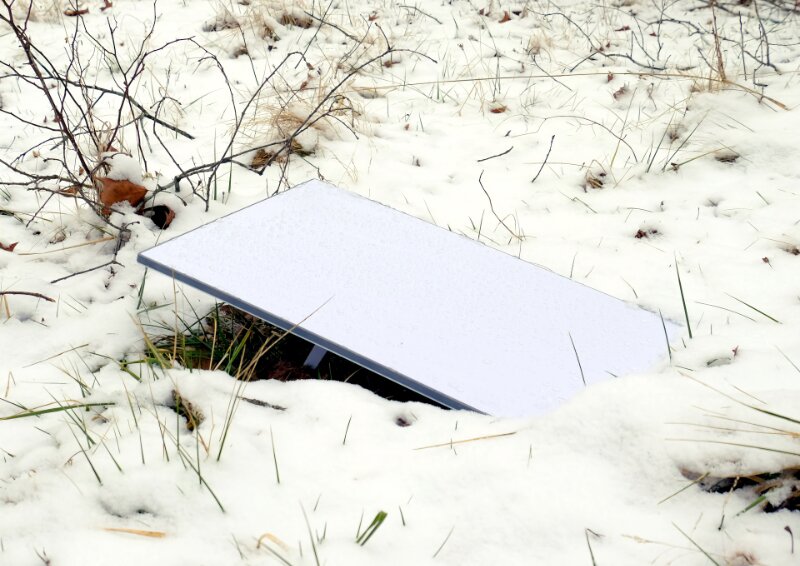
This put the lie to another fear I had about the Starlink rig. I’ve seen it alleged that the thing draws between 75 and 100 watts of power, and if it heats itself it’s easy to see why. During the setup I found on the app that the whole arrangement was pulling about 35 watts. That’s not a lot. I also found the heater configuration. You can leave it turned off entirely, you can have it on all the time, or you can have it — the default, which I kept — that it comes on only when there is snow. I do not know how it can tell there’s snow, but it can, as I learned when I awakened Monday to find snow on the ground but not on the dish. It probably draws more than 35 watts when heating, and that’s fine with me if it only gets warm when there’s snow.
The engineering is astounding. And because it is self-contained, I can plug it into an uninterruptible power supply with built-in battery and not lose phone or internet when the power goes out, as sometimes happens here. With Frontierizon, a one-second power glitch can be counted on to take down the phone and internet for at least 15 minutes as apparently every computer upstream reboots. There is peace of mind in having an assured communications flow in time of disaster, as the people of Iran can tell you, the ones who are still alive, anyway.
There’s more for me to do, of course. I’ll not leave the dish on the ground. The cable from the dish is not lawnmower-proof. But now I know that it doesn’t have to go high in the sky, either. I think I’ll be able to mount it on the roof of the back porch. It will take a while, because I will want to align it as well as is possible. Then I’ll run the cable around the house to feed it through the wall and into my office, which is well located for the router getting its wifi signal everywhere I’ll need it. I’ll need to use little screw clips to keep the external run of cable tidy, and I have rubber grommets that will seal the hole where the cable comes through the wall.
I keep waiting for some other shoe to drop, some fatal flaw in Starlink to be exposed. So far it hasn’t happened, though the surprise price increase is not comforting. For years now the Frontierizon system has been a veritable storm of other shoes. It will be a happy time when, next week, I hope, I’ll be able to call the phone company that has “served” me for 21 years and tell them they are no longer needed here. That I’ve given them the last dollar they’ll be getting from me. I would explain in detail but it wouldn’t matter because their people are not fluent in English.
The day after I got the Starlink rig working was very windy. The sycamore tree, as is its wont, rained limbs down on my car and driveway. It thinks it’s off the hook. It isn’t.
I’m awaiting Elon Musk to announce “Treelink,” a space laser system that will vaporize unwanted foliage. I just need to remember to pin them down on the price.
Because other than unannounced price increases, Starlink is absolutely aces. 

Dennis E. Powell is crackpot-at-large at Open for Business. Powell was a reporter in New York and elsewhere before moving to Ohio, where he has (mostly) recovered.
Pass along this article.
Never Miss Another Article from Dennis E. Powell.
You need to be logged in if you wish to comment on this article. Sign in or sign up here.


Start the Conversation