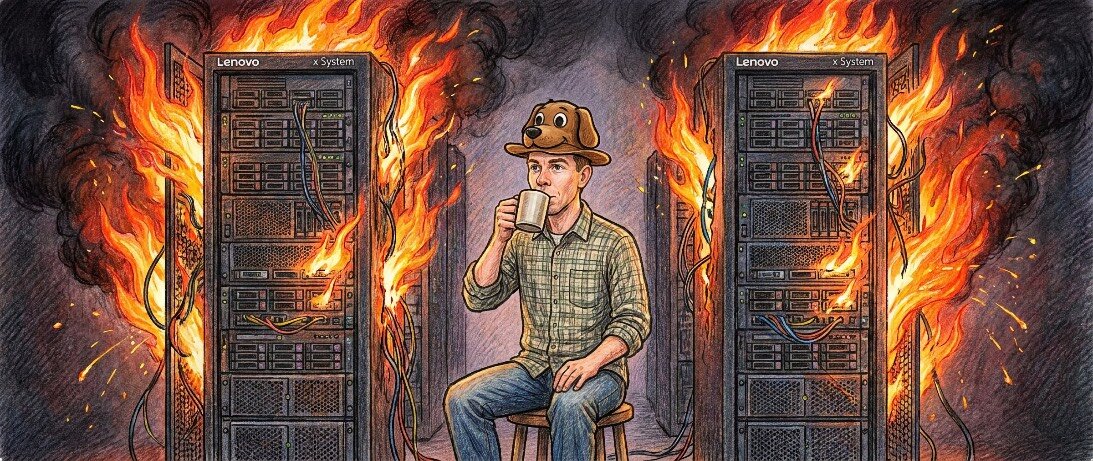
Yesterday was one of those days I should not have gotten up. The day itself had been less than productive and that was before one of my servers joined the trendy worldwide outage dance right before I went to bed.
A few years back — more presciently than I realized with the RAMpocalypse that came thereafter — I purchased a couple of decade-old, off-lease Lenovo servers and put them in the basement below my study. They were cheap, RAM for them was cheap and hard drives to store a lot of data were cheap. Cue Archie and Edith.
One became a test lab for things I wanted to try and the other became my primary backup repository for my church, FaithTree and OFB. It’s served me very well and for very little cost.
Unlike the public facing servers we use here and for the church, my eBay bargains are only accessible if I stand physically in front of their makeshift rack or access them via my private Netbird mesh network. (I’ve written about using Netbird previously); it’s a fully open source alternative to Tailscale.) The mesh network lets me use the data stored on those systems from anywhere and for the public facing services to privately make regular backups to them.
I do keep them up-to-date with security patches, but they are decidedly not intended to face the public. The one, as I said, is where I try things out. No one else is supposed to be fooling with them, so I’ve felt pretty free to try out stuff without constant worry about opening holes in a firewall or some such.
Until, as I said, I was heading to bed last night. The test server had dropped offline. I was mildly curious, so I logged into the remote access tool servers like these often have built into their core firmware and tried to get it to come to.
When that didn’t work, I hit the remote reboot button and started to fiddle with something else, since the machine has a glacial startup process. I wasn’t too worried, surely an errant process had just frozen things up.
A few minutes later, I looked at the remote access screen again and found myself at the recovery prompt for Linux’s boot manager, GRUB. That’s not good, did the system’s boot drive fail? Several more attempts yielded the same, which is when I started to worry: GRUB reported it could read my drive, but conspicuously, all the core system directories were missing.
Given the amount of increasingly AI-fueled hacking going on, my mind started to race. What were the odds that my data would be there, but everything necessary for the system to boot would go missing?
While you can’t get to the machine directly from the internet, the aforementioned mesh network does exist. Had someone compromised my Netbird account? The thought was sobering, because everything — our production servers, the church live streaming system, desktops, laptops, servers — are linked on that mesh.
I’ve heavily locked down the public-facing side of systems, but the mesh side is intentionally more open since one needs some way to administer things. Yes, that’s a risk, but it’s far less than an older approach that might have left every system one needs to remotely access facing the internet individually.
If someone broke into the mesh deeply enough to compromise one of the least interesting, lowest-value targets on the network, what else had they done first? What about the valuable backups? What about e-mail, messaging and everything else that actually is of interest?
I wasn’t going to sleep any time soon. If it were a hack, what if it were still actively going on right now? Was I going to awaken to really important things wiped out?
Unable to make heads or tails of the mess, I had my introduction to Tiny Core Linux, an ingeniously small Linux distribution shrunken down enough to squeeze into the 50MB limit that my server’s remote management system allows. That would allow me to get a working system even in the middle of the night when I had no physical access to the machine.
When Tiny Core came online, the situation was as bizarre as GRUB had suggested. Walking through the virtual shipwreck, all the things needed to run the system were missing — even the local backups of recent changes — but everything else looked fine.
How strange.
While I worked on my ill system, I had Grok Bot run a series of network sweeps over the mesh to run down the larger hack I increasingly believed was happening. It found none, instead locating the much more innocuous cause.
The issue was still related to the great hacking spree the internet is currently facing. But not because someone had targeted me just now.
A few days ago, Apple released a series of system updates for various uncovered vulnerabilities in its software. My desktop Mac mini I use to live stream my online-only Monday evening sermons and, occasionally, administer the private servers, was two major releases behind.
Apple does back port security fixes, and I’d held back to avoid last year’s questionable MacOS 26, but with the rapid-fire of present security holes and their corresponding fixes, I thought it was time to go to the much nicer MacOS 27.
Given that the day already felt like a wash by mid-afternoon, I decided to get something useful done by at least letting the system upgrade while I did a few other chores. The upgrade went through, but too efficiently, and that would be what sunk the already sinking day.
When my Mac booted back up, it successfully brought up not just Apple’s software, but all of my software, including my much-beloved tool for quick, secure, SSH-based access to remote systems’ files from within Finder, the MacOS file manager.
When I’d last used that tool, I had been targeting some system configuration matters on the damaged server. Perhaps recovering from how MacOS has changed in the last few releases, the file transfer app scanned my remote server, noted its locally cached copies of some system folders I’d been working on didn’t match the remote ones, and seemingly — either directly or through the way MacOS handles remote transfer plugins — decided to rename every directory it was uncertain about with a “2” suffix so it could make way for its revisions.
On systems beyond my test box, where my remote tool’s access is a bit more intentionally limited, it did the same thing, just in its contained sandboxes.
Phew. A relief, although one that was long enough in coming that I did not sleep much when I finally did get to try.
Maybe none of us should be sleeping too easily right now.
My experience is one I suspect is going to become common for all of us, system administrators or not. Whatever is causing all of the outages around the world, I suspect a very real part boils down to a domino effect: one system goes down, which takes down another; one system is vulnerable and the fix for it, even when applied in a timely fashion, has unintended consequences for another, interrelated system.
AI-augmented hackers will surely be at the forefront of this, but what if the most disruptive part of their efforts comes from our counterresponses? The pressure to rapidly apply fixes to keep up with attacks is, in its own way, an invitation to problems.
The Armageddon of computing might be the perfect storm of AI-augmentation in both attacks and defense. Prognosticating at the moment is even more of a fool’s errand than usual, but the last few weeks do certainly show a lot of what we depend on is creaking under the strain.
Even if all the causes are not yet clear, one thing is certainly clear in our present ominous light: backups are more essential than ever. Backup, and don’t backup only on the cloud: do the “sneaker net” route of having a storage device you only plug in briefly to update the backup and then unplug again.
Because whether it is those intending to do us harm or the unintended harm we do when trying to stop them, harm is going to be unavoidable. And backups are going to look mighty beautiful when the things you count on go down. 

Timothy R. Butler is Editor-in-Chief of Open for Business. He also serves as a pastor at Little Hills Church and FaithTree Christian Fellowship.
Pass along this article.
Never Miss Another Article from Timothy R. Butler.
You need to be logged in if you wish to comment on this article. Sign in or sign up here.


Start the Conversation